

Compliance That Fits Microsoft Dynamics Users
Microsoft Dynamics UAE FTA E-Invoicing Complete User Guide
How Microsoft Dynamics 365 Handles Invoicing
- Locate Business Transactions: Identifies applicable sales, customer, product, inventory, tax, and financial records within Dynamics 365 for processing.
- Assess Source Information: Reviews commercial details, account information, quantities, classifications, and financial references before invoice construction.
- Build Invoice Records: Structures verified Dynamics 365 information into invoice fields required for Botswana electronic billing workflows.
- Check Tax Details: Examines VAT attributes, customer information, product data, and transaction classifications before processing begins.
- Process Validated Data: Routes approved billing information through Advintek while maintaining connections with originating Dynamics 365 records.
- Update ERP References: Associates processing results with relevant transactions, supporting reconciliation and continued financial record visibility.
Advintek Enhances Microsoft Dynamics 365 Operations
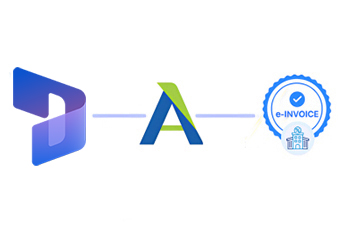
Advintek connects Microsoft Dynamics 365 data with structured Botswana billing workflows, adding validation, processing, and traceability across core ERP activities.
- Sales transactions establish invoice source information
- Account records support customer identification
- Product details enrich invoice line information
- Fulfillment data verifies delivered quantities
How Microsoft Dynamics 365 Controls Finance
- Revenue Stream Analysis: Examines sales activity across products, customers, business units, and periods to support financial planning.
- Receivable Exposure Review: Assesses outstanding customer activity and balances to provide clearer visibility across accounts.
- Supply Commitment Analysis: Reviews purchasing obligations and supplier activity to support procurement planning within Dynamics 365.
- Business Unit Comparison: Compares transaction performance across organizational structures to identify operational differences within the ERP environment.
- Tax Ledger Examination: Reviews tax-related postings and classifications to identify inconsistencies across financial transaction records.
- Period Closing Review: Examines accounting activity near period close to support accurate reporting and controlled financial administration.
Everything You Need for Botswana E-Invoicing in One Place
Demand Forecast Signals
Identifies changing product demand through order patterns across customers, periods, and business segments.
Fulfillment Performance Trends
Reveals fulfillment patterns by comparing sales activity with delivery and inventory movements across operations.
Account Growth Indicators
Highlights changing customer activity through purchasing frequency, order values, and account development patterns.
Microsoft Dynamics 365 Uses Botswana
Microsoft Dynamics 365 supports connected sales, supply chain, customer, inventory, and finance activities while Advintek coordinates relevant ERP information with Botswana electronic invoicing.
- Business units support operational reporting
- Sales pipelines inform billing preparation
- Fulfillment records strengthen delivery verification
- Finance entries support invoice reconciliation
Microsoft Dynamics and Advintek Integrated for Accuracy
Connect Microsoft Dynamics 365 with Botswana e-invoicing through Advintek today.
Coordinate ERP transactions with BURS billing workflows.
Ready e-Invoice System
Frequently Asked Questions Microsoft Dynamics E-Invoicing Botswana
Which Dynamics 365 transactions can feed Botswana electronic invoices?
Relevant Microsoft Dynamics 365 records can include sales orders, customer accounts, products, fulfillment details, tax attributes, and financial references. Advintek can identify applicable information and organize it within Botswana electronic billing workflows. This creates a clearer connection between originating ERP transactions, invoice preparation, processing results, and subsequent finance review.
How are Dynamics 365 tax records used for BURS billing?
Dynamics 365 can contain tax groups, VAT classifications, customer information, product attributes, and transaction-level tax details. These records provide useful context when preparing Botswana electronic invoices. Advintek can validate applicable information before processing, helping businesses identify inconsistencies and maintain better alignment between ERP tax data and billing records.
Can Dynamics 365 supply chain data support invoice accuracy?
Yes. Supply chain records can provide delivery, fulfillment, product, warehouse, and quantity information connected to commercial transactions. Advintek can use relevant Dynamics 365 information when preparing electronic invoice records, helping businesses compare operational activity with billed quantities and maintain stronger relationships between sales, fulfillment, and financial documentation.
What role do Dynamics 365 business units play in invoicing?
Business units can organize transactions according to different operational or organizational structures within Microsoft Dynamics 365. Their associated records may provide useful context for customer activity, sales administration, and financial reporting. Advintek can preserve relevant organizational references during processing, supporting clearer invoice traceability and ERP-level reconciliation.
Why integrate Microsoft Dynamics 365 with Botswana e-invoicing?
Connecting Microsoft Dynamics 365 with Botswana e-invoicing creates a structured route between core ERP activity and electronic billing. Advintek coordinates applicable sales, customer, product, tax, fulfillment, and finance information, helping teams manage invoice processing while retaining relationships between electronic documents and their originating Dynamics 365 records.