

Compliance Built for Automated Invoice Operations
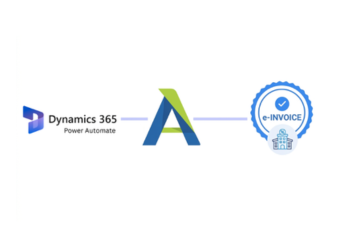
How Microsoft Power Automate Reaches E-Invoicing
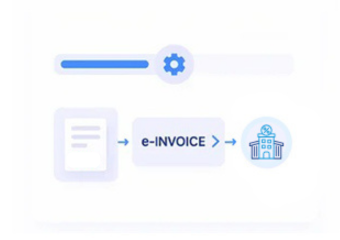
- ERP Data Capture: Captures selected ERP transaction information through configured Microsoft Power Automate connectors and automated workflow triggers.
- Field Transformation: Transforms source fields into structured invoice information required for Botswana electronic billing processes and documentation.
- Data Validation: Validates mapped values, tax details, identifiers, and calculations before downstream processing continues through workflows.
- Process Activation: Triggers invoice processing actions after required ERP information passes configured workflow checks and approval stages.
- Status Recording: Records processing responses against source transactions for finance teams monitoring billing outcomes and exceptions.
- Document Linking: Links completed documents with ERP records to support reconciliation, reporting, and ongoing financial administration.
What Advintek Adds To Microsoft Power Automate
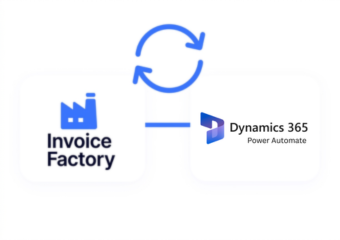
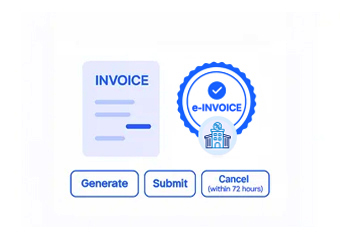
Advintek extends Microsoft Power Automate with connected e-invoicing capabilities, allowing ERP information to travel through controlled Botswana billing workflows.
- ERP approvals trigger invoice processing workflows
- Finance exceptions route to assigned teams
- Tax fields receive automated validation checks
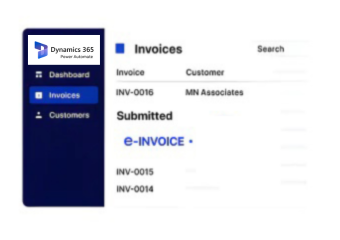
- Invoice statuses update connected ERP records
Microsoft Power Automate Controls Botswana Billing
- Approval Workflow Coordination: Connects workflow approvals with invoice records to support controlled ERP billing authorization and accountability.
- VAT Workflow Routing: Routes VAT information through defined workflow stages for consistent Botswana tax documentation and reporting.
- Failure Alert Management: Monitors failed workflow actions and identifies records requiring finance team attention for corrective processing.
- Invoice Status Tracking: Associates invoice status information with ERP transactions for clearer operational oversight and financial follow-up.
- Exception Workflow Handling: Supports exception routing when invoice data requires correction before processing continues through connected workflows.
- Output Record Organization: Organizes workflow outputs alongside ERP records for structured review, reconciliation, and management reporting.
Complete Control Over Botswana E-Invoicing Workflows in One Platform
Workflow Completion Analysis
Analyzes workflow completion patterns to identify recurring bottlenecks across ERP billing operations and approvals.
Resource Demand Review
Reviews automation workloads to support better allocation of finance processing resources across departments and teams.
Exception Frequency Analysis
Tracks exception frequency to reveal process areas requiring additional workflow refinement and stronger controls.
Microsoft Power Automate Uses For ERP
Microsoft Power Automate can connect ERP applications, finance processes, and billing activities through automated workflows designed around Botswana electronic invoicing operations.
- Automates recurring ERP billing administration tasks
- Connects departments through shared workflow processes
- Routes exceptions for timely finance review
- Supports structured records across ERP processes
Automate Connected Finance Workflows
Connect Microsoft Power Automate with Advintek for Botswana e-invoicing today.
Automate ERP billing workflows with greater control.
Ready e-Invoice System
Frequently Asked Questions Power Automate e-Invoicing Botswana
What ERP processes can Power Automate connect to Botswana e-invoicing?
Microsoft Power Automate can coordinate workflows between ERP applications and downstream billing processes. Depending on the connected ERP, workflows may capture transaction information, route approvals, validate selected fields, trigger invoice processing, and record outcomes. Advintek provides the e-invoicing layer that connects these automated activities with Botswana electronic billing requirements.
How are ERP approvals handled before invoice processing?
Approval stages can be configured within Power Automate so selected ERP transactions follow defined workflow conditions before billing begins. Advintek can receive the approved information and continue the connected electronic invoice process. This provides finance teams with a structured pathway from internal ERP authorization to Botswana invoice processing.
Can Power Automate identify failed billing workflows?
Power Automate can monitor workflow actions and identify stages where processing does not complete successfully. Advintek can support the related invoice workflow by maintaining transaction references and relevant processing information. This gives ERP and finance teams a clearer route for investigating exceptions rather than losing failed transactions within automated processes.
Where does VAT information enter an automated ERP workflow?
VAT-related information can originate from the connected ERP transaction and pass through configured Power Automate stages before invoice processing. Advintek can structure and validate applicable information within the electronic billing workflow. This helps Botswana businesses maintain stronger relationships between ERP tax data and the invoice records created from those transactions.
Why use Power Automate with an ERP for Botswana billing?
Power Automate is useful when businesses want ERP-driven billing processes coordinated across applications, approvals, and finance teams. With Advintek, relevant ERP information can flow through automated e-invoicing stages while retaining source transaction references. This creates a more connected operating model for Botswana electronic billing without separating automation from ERP processes.