

Compliance That Fits Microsoft Dynamics Business Central Users
How Microsoft Dynamics 365 Business Central Supports E-Invoicing
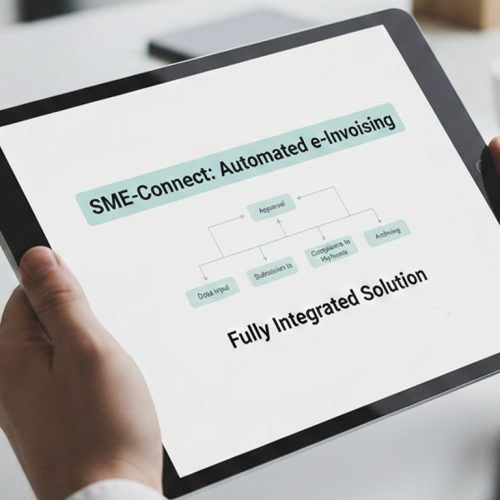
- Map Commercial Activity: Business Central sales documents are examined to identify transactions requiring structured Botswana electronic invoice preparation.
- Interpret Posting Logic: Customer, item, VAT, dimensions, and posting information are assessed within their Business Central context.
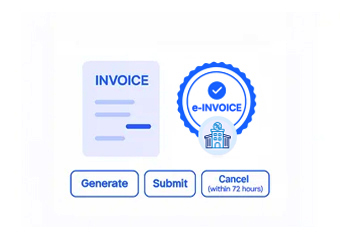
- Compose Fiscal Document: Relevant ERP information is arranged into invoice fields based on applicable Botswana electronic billing requirements.
- Screen Transaction Exceptions: Missing information, inconsistent classifications, and unusual transaction details are identified before invoice processing continues.
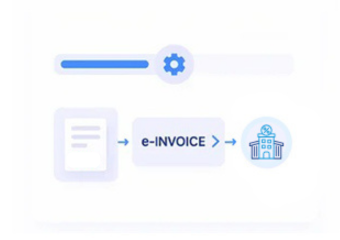
- Transmit Approved Records: Verified invoice information passes through Advintek while corresponding Business Central document references remain associated.
- Confirm Financial Updates: Processing outcomes are reviewed against posted ERP records, supporting reconciliation and subsequent accounting administration.
Advintek Connects Microsoft Dynamics 365 Business Central Processes
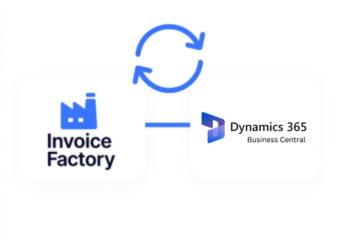
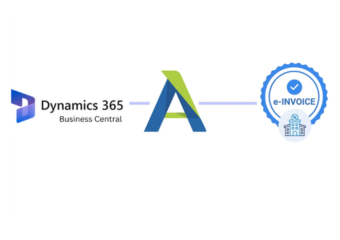
Advintek links Business Central transactions with structured Botswana electronic billing workflows, helping finance teams coordinate ERP information, tax validation, invoice processing, and accounting references.
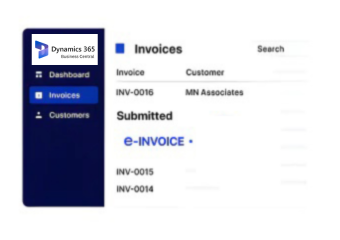
- Posted invoices retain billing references
- VAT groups support tax classification
- Item records enrich invoice lines
- Customer masters support account identification
Microsoft Dynamics 365 Business Central Financial Management Controls
- Margin Contribution Review: Examines sales performance across products and customer groups to understand contribution patterns within Business Central reporting.
- Cash Collection Analysis: Reviews receivable activity, outstanding balances, and customer transactions to assess collection patterns across accounting periods.
- Supplier Exposure Review: Evaluates purchasing commitments and supplier balances to provide broader visibility into Business Central financial obligations.
- Dimension Performance Analysis: Compares financial activity across Business Central dimensions to identify differences between departments and operational areas.
- Item Profitability Assessment: Studies product-level sales and inventory information to identify stronger or weaker commercial performance patterns.
- Posting Accuracy Checks: Reviews accounting entries against originating transactions to detect discrepancies affecting financial reporting and reconciliation.
Complete Control Over Botswana E-Invoicing Workflows in One Platform
Item Turnover Signals
Highlights changing product movement through item ledger activity, sales history, and inventory transaction patterns.
Vendor Purchasing Patterns
Identifies shifts in supplier activity by reviewing purchasing frequency, order volumes, and procurement histories.
Sales Channel Indicators
Reveals differences across sales channels using customer orders, product activity, and transaction classifications.
Microsoft Dynamics 365 Business Central Applications Botswana
Microsoft Dynamics 365 Business Central supports interconnected finance, sales, purchasing, inventory, and customer operations while Advintek coordinates relevant ERP records with Botswana electronic invoicing workflows.
- Posted documents support invoice reconciliation
- Item ledgers clarify product activity
- Vendor records inform purchasing analysis
- Customer accounts support sales administration
Start Botswana E-Invoicing Integration Today
Connect Business Central with Advintek for Botswana electronic invoicing today.
Link finance, sales, and tax records seamlessly.
Ready e-Invoice System
Frequently Asked Questions Microsoft Dynamics e-Invoicing Botswana
What Business Central documents can support Botswana e-invoicing?
Business Central can contain sales quotes, orders, invoices, customer records, item information, VAT posting details, and accounting entries relevant to electronic billing. Advintek can connect applicable records with Botswana e-invoicing workflows, allowing businesses to coordinate invoice preparation with their existing ERP documentation and financial processes.
Where are VAT details maintained within Business Central?
VAT information can be associated with Business Central posting groups, customer settings, item configurations, and transaction records. These details can provide the tax context required during invoice preparation. Advintek can review relevant attributes before processing, helping businesses identify inconsistencies within ERP information used for Botswana electronic billing.
Could posted sales invoices remain connected after processing?
Yes. Posted Business Central documents can retain references associated with their originating transactions and corresponding electronic invoice outcomes. Advintek can support this relationship during processing, giving finance teams a clearer audit trail between Business Central sales activity, submitted invoice information, processing results, and subsequent reconciliation activities.
How does Business Central purchasing data support ERP administration?
Purchasing records can provide supplier, item, order, and accounting information useful for broader financial oversight. Although customer invoices generally originate from sales transactions, procurement data helps teams understand purchasing obligations and reconcile related accounting activity. Advintek connects relevant ERP information within the wider Botswana electronic billing environment.
Why connect Business Central with Botswana electronic invoicing?
Integration creates a structured connection between Business Central ERP records and Botswana electronic billing processes. Advintek can coordinate sales documents, customers, items, VAT information, posting details, and accounting references, helping businesses maintain connected workflows from source transactions through invoice processing, reconciliation, and financial record review.