

Compliance Built for Power Apps Business Operations
How Microsoft Power Apps Processes Invoices
- Select Source Transactions: Select relevant app transactions requiring electronic invoicing based on approved business process records securely.
- Review App Context: Review submitted form details, approvals, customer information, and transaction context before invoice preparation begins.
- Structure Billing Records: Combine validated application data with required customer, tax, service, and financial references for processing.
- Check Fiscal Attributes: Check configured tax attributes and required invoice information against Botswana billing workflow requirements before submission.
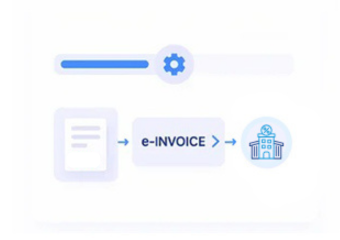
- Route Approved Invoices: Route approved invoice records through Advintek for structured Botswana electronic invoicing processing and response handling.
- Reconcile Processing Results: Return processing references to connected Microsoft Power Apps workflows for reconciliation, status visibility, and follow-up.
Why Microsoft Power Apps Supports Finance
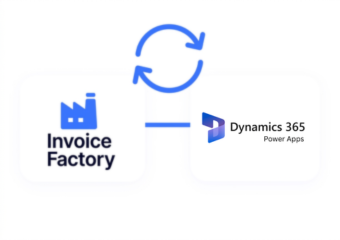
Advintek connects customized Microsoft Power Apps processes with structured Botswana electronic invoicing while preserving relationships between application workflows, ERP records, and finance operations.
- App records support structured billing preparation
- Approval histories provide transaction process evidence
- Custom forms capture relevant billing details
- Department data supports organizational reporting analysis
Why Microsoft Power Apps Strengthens Controls
- Transaction Volume Analysis: Analyze application-driven transaction volumes across departments, workflows, customers, and operational service categories for planning.
- Approval Cycle Review: Review approval activity to identify delays, recurring exceptions, and process bottlenecks affecting financial workflows.
- Request Completion Trends: Examine request completion patterns across customized apps to understand operational demand and resource requirements.
- Classification Exception Review: Compare transaction classifications across departments to identify inconsistencies requiring finance or workflow review.
- Invoice Exception Monitoring: Monitor invoice exceptions by source application, process type, customer group, and transaction category for control.
- Audit Trail Assessment: Assess processed records against originating requests to strengthen audit trails and financial reconciliation.
Complete Control Over Botswana E-Invoicing Workflows in One Platform
Workflow Adoption Signals
Workflow Adoption Signals reveal which Microsoft Power Apps processes generate the highest transaction activity.
Department Request Patterns
Department Request Patterns show changing demand across customized applications, teams, and operational workflows.
Approval Delay Indicators
Approval Delay Indicators highlight recurring authorization bottlenecks affecting transaction completion and financial administration.
Microsoft Power Apps Uses In Botswana
Microsoft Power Apps can connect customized operational applications with ERP and finance processes, supporting structured billing administration across departments and business functions.
- Requests initiate controlled downstream billing activity
- Approvals establish documented transaction progression
- App forms enrich detailed invoice information
- Department structures support cross-functional reporting analysis
BURS Compliance Without Disruption
Connect Microsoft Power Apps with Botswana e-invoicing through Advintek today.
Align ERP records with BURS billing processes.
Ready e-Invoice System
Frequently Asked Questions Power Apps e-Invoicing Botswana
What Microsoft Power Apps records can feed Botswana e-invoicing workflows?
Microsoft Power Apps can generate structured information from customized forms, requests, approvals, service activities, customer interactions, and departmental processes. Relevant records can be connected with ERP and finance information through Advintek, allowing businesses to identify appropriate billing transactions and prepare supporting information for Botswana electronic invoicing workflows.
Which Microsoft Power Apps fields matter for BURS billing?
The relevant fields depend on how an organization has configured its Power Apps solution. Customer identification, transaction references, taxable amounts, tax attributes, service descriptions, organizational information, and related ERP references may be important. Advintek can coordinate applicable application data with Botswana billing workflows before electronic invoice submission.
Can customized Microsoft Power Apps connect with ERP financial records?
Yes. Customized Microsoft Power Apps solutions can capture operational information that relates to ERP transactions, financial processes, approvals, and departmental activity. Advintek can connect applicable Power Apps data with associated ERP records, helping organizations establish a traceable relationship between operational requests and resulting electronic invoice information.
Why use Advintek with Microsoft Power Apps for Botswana e-invoicing?
Advintek provides an integration layer between customized Microsoft Power Apps workflows, ERP information, and Botswana electronic invoicing processes. This allows organizations to coordinate application-generated transactions, tax details, approvals, customer information, and financial references while supporting structured BURS-oriented billing workflows without redesigning every business application.
How do Microsoft Power Apps approvals affect electronic invoice processing?
Approval stages can establish whether an application-generated transaction has completed its required business review before invoicing. Advintek can use approved workflow information alongside transaction, customer, tax, and financial data, helping organizations maintain process evidence while routing eligible records toward Botswana electronic invoice processing.